

Description
Download Google Chrome Portable – web browser, fast browsing, portable browser, secure browsing, search and address bar, desktop shortcuts, thumbnail navigation, lightweight browser
Overview
Google Chrome Portable is a streamlined, lightweight web browser designed for users who prioritize speed, security, and convenience in their daily online activities. Built with a minimalistic interface and powered by advanced technology, the browser delivers a fast and intuitive web experience tailored for both casual and power users. Its primary purpose is to offer a seamless browsing solution that combines efficiency with portability, enabling users to access their favorite websites and tools without installation or system-level changes.
Target users include individuals who frequently switch between computers, such as students, professionals, and travelers, as well as anyone seeking a secure and reliable browsing environment without leaving a trace on shared devices. The browser solves common challenges like slow loading times, cluttered interfaces, and lack of cross-device consistency by integrating a unified search and address bar, thumbnail-based navigation, and desktop shortcut functionality. These features collectively reduce friction in daily browsing tasks and enhance productivity.
Developed by Google, a leader in digital innovation, the app benefits from the same core technologies that power the standard Chrome browser. Although specific details about the development team or history were not provided, the app’s association with Google ensures a high standard of reliability and ongoing technical support. Its presence in the productivity category underscores its role as a utility tool for modern digital workflows.
Real-world use cases include accessing cloud-based applications on public computers, maintaining a consistent browsing profile across multiple devices, and quickly launching frequently used web tools. In the broader app ecosystem, Google Chrome Portable fills a niche for users who value privacy, speed, and flexibility, making it a practical alternative to traditional browser installations.
Key Features & Functionality
- Unified Search and Address Bar: Combines search queries and URL navigation into a single input field. Typing a keyword returns relevant search results and matching websites, reducing the need for multiple steps and improving efficiency.
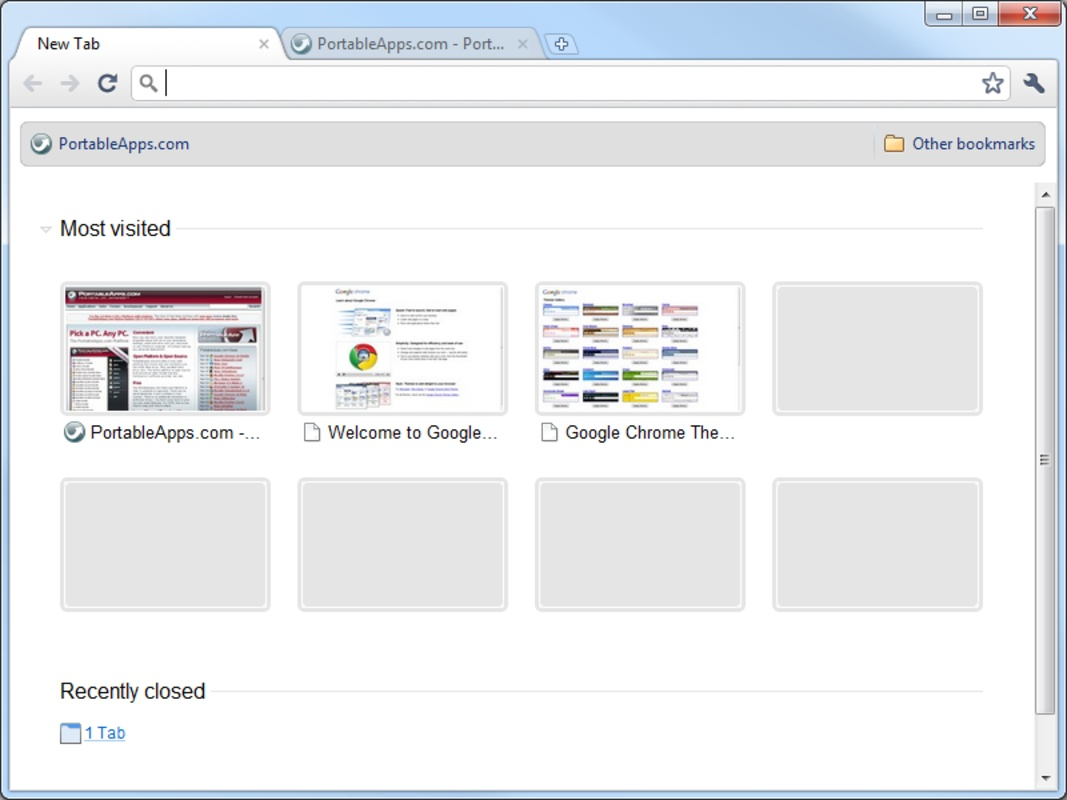
- Thumbnail-Based Navigation: Displays visual thumbnails of frequently visited sites on the new tab page. This allows users to instantly recognize and access favorite websites, minimizing time spent searching through bookmarks or history.
- Desktop Shortcuts for Web Apps: Enables users to create direct shortcuts on their desktop for web-based applications. This feature enhances workflow integration, allowing users to launch tools like Gmail, Google Drive, or online editors with a single click.
- Minimal Design and Advanced Technology: The clean, clutter-free interface prioritizes usability while leveraging Google’s performance optimizations. This ensures fast page rendering, efficient memory usage, and strong protection against online threats.
- Portability and Convenience: Designed to run from a USB drive or portable storage device without installation. Users can carry their browsing profile, settings, and bookmarks with them, making it ideal for use on shared or restricted systems.
For example, a student using a library computer can launch their personalized Chrome environment from a USB drive, access course materials via desktop shortcuts, and quickly return to their most-used sites using thumbnails. Similarly, a remote worker can maintain consistent access to project management tools across different workstations, ensuring continuity and minimizing setup time.
Interface, UX & Performance
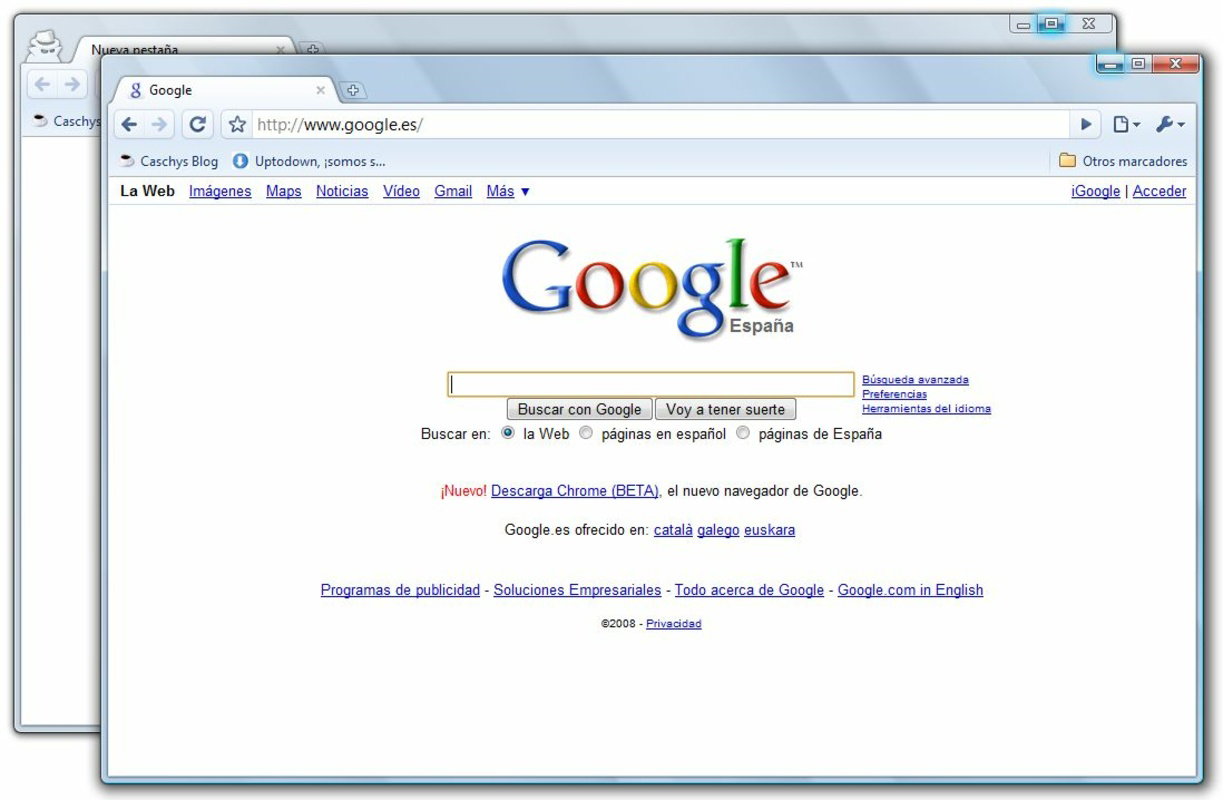
The interface of Google Chrome Portable follows a clean, minimal design language consistent with modern web standards. The layout is centered around the unified address bar at the top, with a streamlined toolbar and unobtrusive navigation elements. This approach reduces visual clutter and enhances focus on content, contributing to a more efficient browsing experience.
Navigation is intuitive, with logical flow between tabs, bookmarks, and the new tab page. The thumbnail-based layout on the new tab screen provides immediate visual feedback, allowing users to select sites with minimal effort. Interaction responsiveness is strong, with quick load times for both search results and web pages, although specific performance metrics were not disclosed.
Although the developer did not list formal performance metrics, the browser’s lightweight nature and integration with Google’s core technologies suggest optimized resource usage. It performs well on a range of device categories, from older systems to modern machines, maintaining stability during extended use. The absence of installation requirements also reduces the risk of system conflicts or compatibility issues.
Stability appears to be a priority, as the browser maintains consistent behavior across sessions and devices. Users can expect reliable performance when managing multiple tabs or running resource-intensive web applications. The lack of persistent data storage on host systems further enhances reliability and security in shared environments.
Platform Compatibility & Technical Requirements
Google Chrome Portable is designed for the Windows platform, ensuring compatibility with a wide range of desktop and laptop systems running Windows operating systems. The current version is 118.0.5993.117, released on October 17, 2023. The app has a file size of 134.4 MB, making it a lightweight option suitable for devices with limited storage capacity.
While the developer did not specify minimum OS requirements, the app is compatible with modern Windows versions, including Windows 10 and Windows 11. Users are advised to ensure their system meets standard requirements for running a contemporary web browser. Specific hardware or driver dependencies were not listed.
As a portable application, it does not require administrative privileges or system-wide installation, allowing it to run directly from a USB drive or external storage. This makes it ideal for use on public computers, school labs, or workstations with restricted user access.
Pros and Cons
- Lightweight and fast, suitable for older or low-resource systems
- Portable—can run from a USB drive without installation
- Unified search and address bar improves navigation efficiency
- Thumbnail-based new tab page enhances quick access to favorite sites
- Supports desktop shortcuts for web apps, boosting productivity
- Secure browsing environment with Google’s built-in protections
- Free to download and use with no in-app purchases
- Not available for mobile platforms such as Android or iOS
- May lack some advanced features found in the full Chrome browser
- Performance may vary on very outdated or unsupported Windows systems
- Updates must be manually downloaded and replaced
- Does not support automatic sync across devices without manual configuration
FAQ
Is Google Chrome Portable safe to use?
Yes, Google Chrome Portable inherits the security features of the standard Chrome browser, including sandboxing, automatic updates, and protection against malware and phishing. Since it runs from portable storage, it leaves no trace on the host system, enhancing privacy.
Can I use Google Chrome Portable on a USB drive?
Yes, the app is specifically designed to run from a USB drive or other portable storage devices without requiring installation. Simply copy the folder to the drive and launch the executable to begin browsing.
Does it support automatic updates?
Google Chrome Portable does not include an automatic update system. Users must manually download and replace the application files with newer versions when available.
Is it compatible with Windows 10 and Windows 11?
Yes, the app is compatible with modern Windows systems. Although specific OS requirements were not listed, it functions on Windows 10 and Windows 11 based on standard usage patterns.
Can I sync my bookmarks and history across devices?
Syncing is not automatic. To maintain consistency, users must manually transfer the profile folder between devices or use Google’s cloud sync feature by signing in, though this requires temporary installation on each system.
Final Thoughts
Google Chrome Portable stands out as a practical, secure, and efficient solution for users who need a reliable browser that travels with them. Its combination of speed, portability, and intuitive design makes it an excellent choice for students, professionals, and anyone who works across multiple computers. The unified search bar, thumbnail navigation, and desktop shortcut features significantly enhance productivity, while the lightweight nature ensures smooth performance even on older hardware.
While it lacks some advanced features and automatic sync capabilities of the full Chrome browser, its core strengths—security, simplicity, and portability—make it a compelling option for users prioritizing privacy and flexibility. The fact that it’s completely free and requires no installation adds to its appeal.
For anyone seeking a fast, secure, and portable web browsing experience, Google Chrome Portable delivers on its promise. Download Google Chrome Portable now
Guides & Tutorials for Google Chrome Portable
How to install Google Chrome Portable
- Click the Preview / Download button above.
- Once redirected, accept the terms and click Install.
- Wait for the Google Chrome Portable download to finish on your device.
How to use Google Chrome Portable
This software is primarily used for its core features described above. Open the app after installation to explore its capabilities.
User Reviews for Google Chrome Portable 0
No reviews found


